
Lead Generation Using Google Maps Data Scraper
Table of Contents
Introduction
Why does most of the local lead generation not succeed? Why do their strategies fail before they even start?
The problem is hiding in plain sight; many agencies and business owners rely on outdated lists, overpriced lead vendors, or generic databases, which don’t even reflect the real picture of the market landscape. They end up calling businesses that are already churned, have changed owners, have a higher bounce rate (by email or phone), or mistargeted opportunities that aren’t really a good fit for the business to begin with.
Many have been trapped in this dilemma; as a result, competitors are quietly building their targeted lead lists that are filtered by location, industry, ratings, business activities, and reviews.
This article explains how to use Google Maps as a primary data source for scalable local lead generation. And take advantage of it, which is described as the largest, most accurate, continuously updated local business database in the world. And when used correctly, a Google Maps Data Scraper (MapDataScraper) lets you generate 1000+ verified local leads with names, phone numbers, websites, reviews, and categories.
What a Google Maps Data Scraper Actually Does
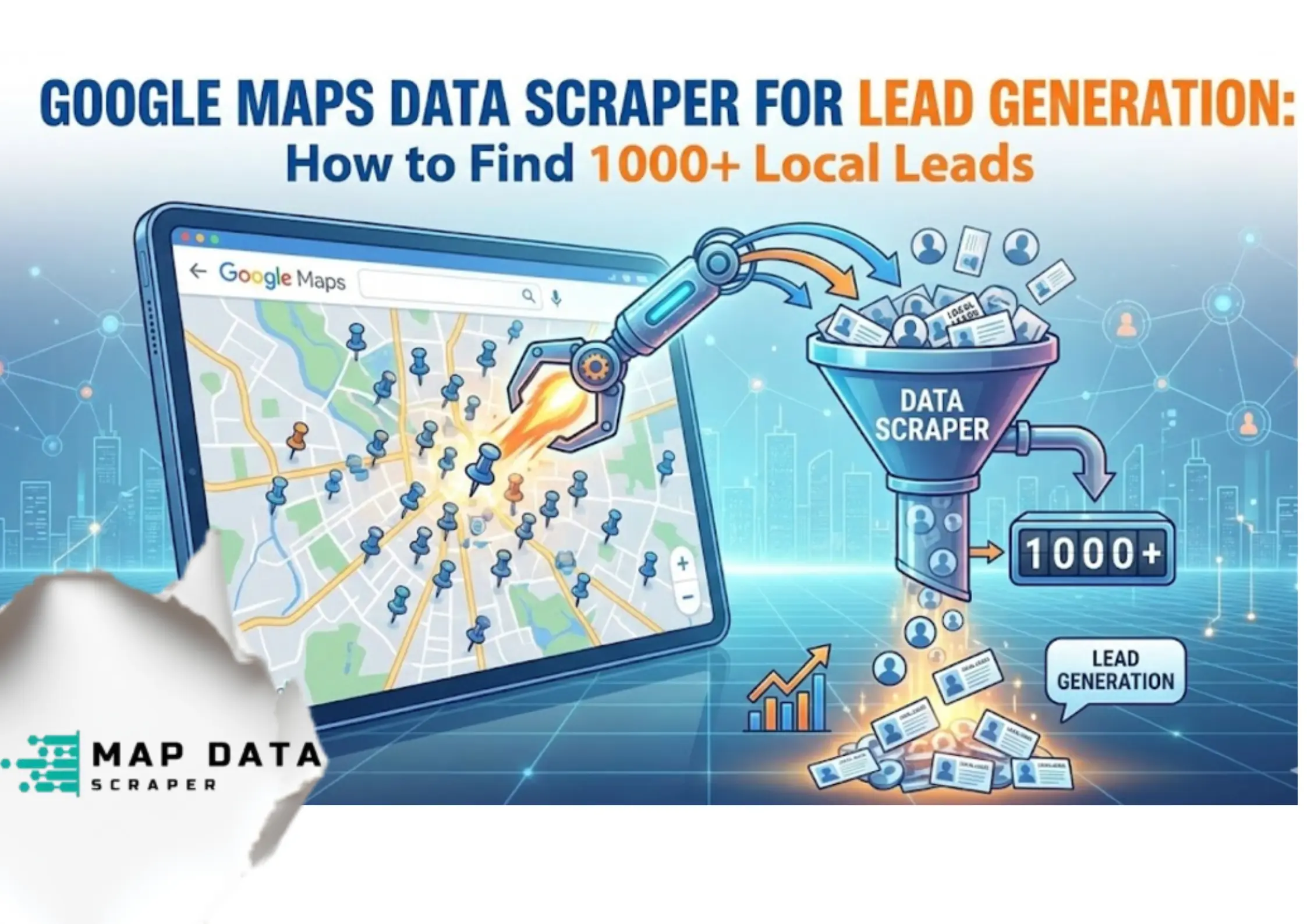
A Google Maps data scraper like MapDataScraper extracts business data that is publicly available from Google Maps listings based on search criteria such as location (city, region, country), business category ( e.g., dentists, restaurants, businesses, etc.), ratings, reviews, businesses (open or closed), and contact information (phone number, websites, addresses).
This is a structured extraction of public data similar in principle to manual research, but automated at scale. Giving more advantage to businesses to collect business intelligence, not just to collect qualified leads, but also to improve data quality that is used for strategic marketing and effective actionable insights.
Google Maps Data Scraper Can Do:
- Able to create market opportunity mapping, which is helpful to pinpoint high-potential spaces for the business.
- Extracts data from publicly available data, especially in Google Maps.
- Uses API integrations for smooth data collection.
- Filters that help in prospecting categories/types of industries.
- Have data enrichments that add more value to the data extracted.
What we should understand is that Google Maps is a source of location-based information that provides substantial insights for businesses. However, having 200+ million businesses, it is impossible to get these insights in a short period of time and at scale. That’s why using Google Maps Data Scraper (MapDataScraper) helps to have a clean and enriched dataset. What’s unique about this scraper is that aside from the features above, it also includes a validated email address.
Why Google Maps Is The Best Source for Local Leads
According to Google, around 46% of all Google Searches have local intent. For instance, “plumbing in New York”, “plumbing near me”, “best plumbing services in New York “, and so on. And based on Think with Google, that is “76% of people who search on their smartphones for something nearby visit a business within a day.”
Knowing these numbers, no wonder that most businesses use Google Maps to update their business profiles and have online exposure through it.
Google Maps Business Listings Includes
- Active and Closed Businesses that help businesses to position themselves, whether to acquire closed businesses or avoid competition at the same time.
- Location verification is a feature that is very relevant to prevent customers from being misled and assuming that the place really exists.
- Customer feedback and ratings show the customer-business relationship that helps address the dos and don’ts that work in the business. It also opens opportunities for improvement on the products and services. It also addresses shortcomings that don’t retain customers.
- Revenue-generating opportunities are also mapped out. It improves marketing strategies, research, and data analysis, especially with trends, pricing, products, and services offered.
How to Find 1,000+ Local Leads Using Google Maps
1. Define Your Ideal Local Buyer
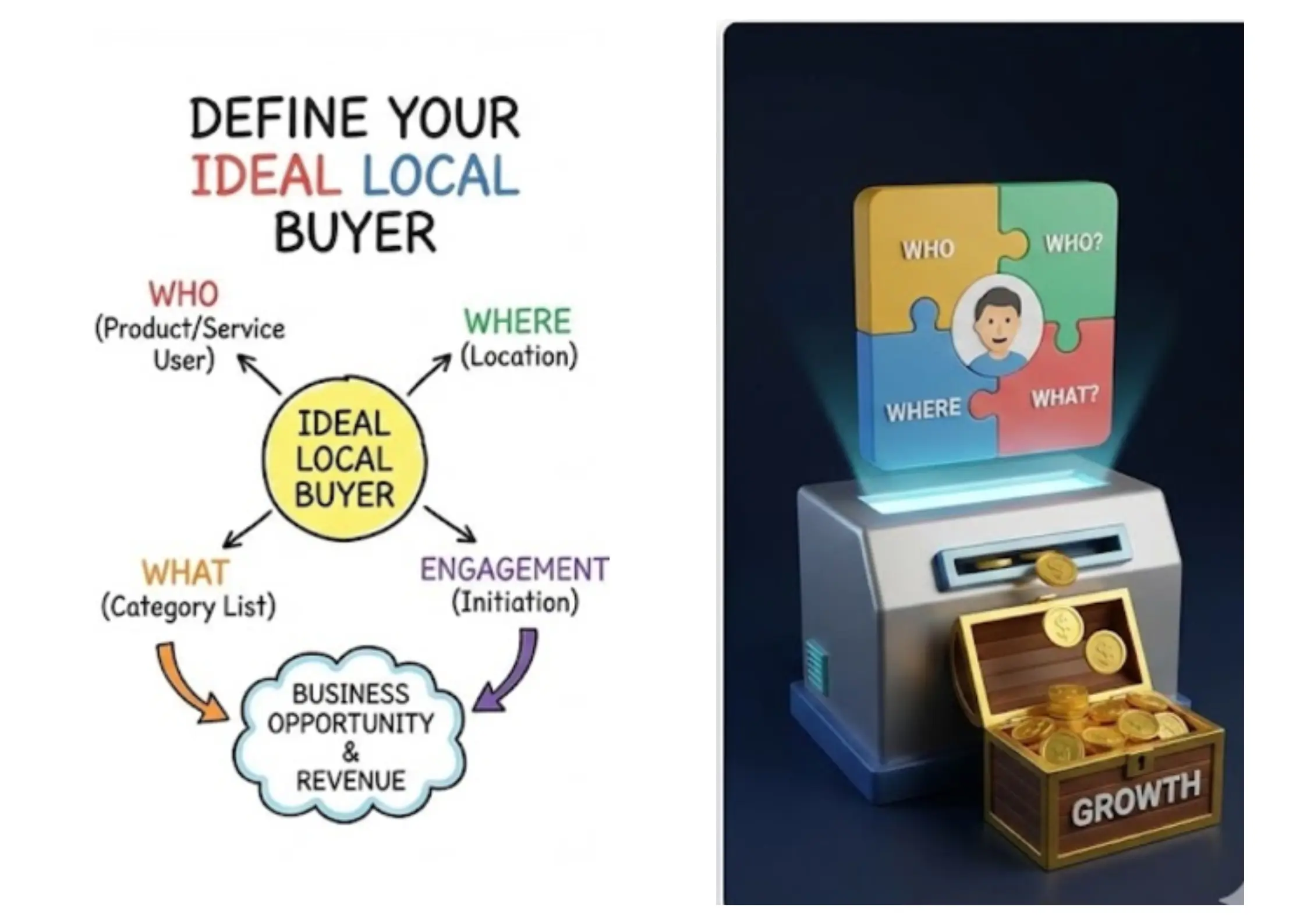
Before scraping any data, users should consider a few key questions and steps. It narrows down the filters to find what is suitable for the user’s needs.
- Who would buy or use the product or the services?
- Where are they located?
- What category are they listed under?
- What engagement did the potential buyers initiate with?
It is necessary to identify these potential local buyers to ensure that the business will thrive and address the needs of each segment. Thus, allowing users to take advantage of the opportunity in the gaps will lead to a significant avenue for revenue increase.
Choose Your Google Maps Data Scraping Tool
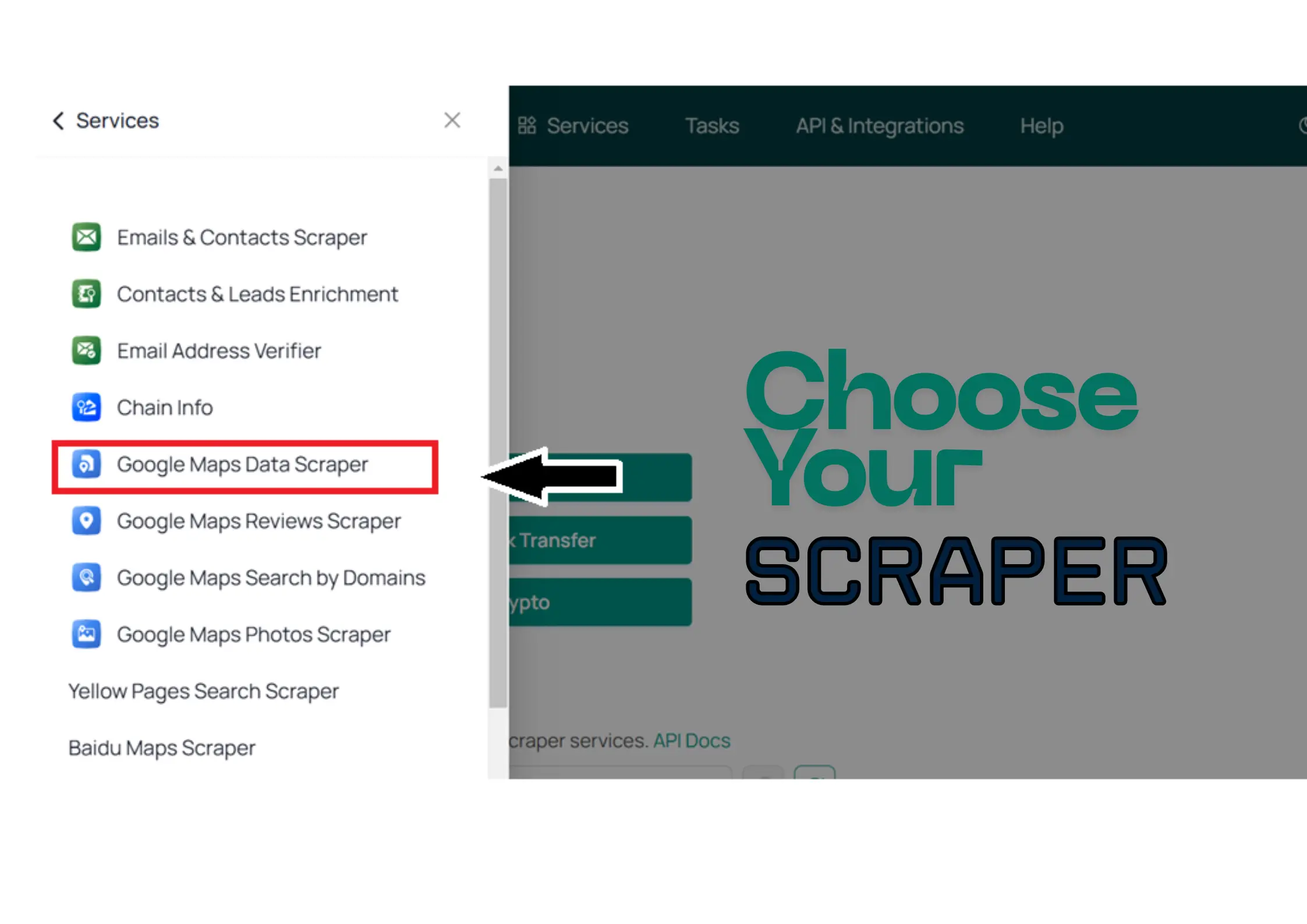
Choosing your Google Maps Data Scraper is considered to take advantage of the automation provided by a suitable data scraper. For instance, MapDataScraper is best known for its clean and enriched datasets, providing location-based business insights that enable effective data research and analysis, ultimately supporting strategic planning.
Varieties of Scrapers Available in MapDataScraper
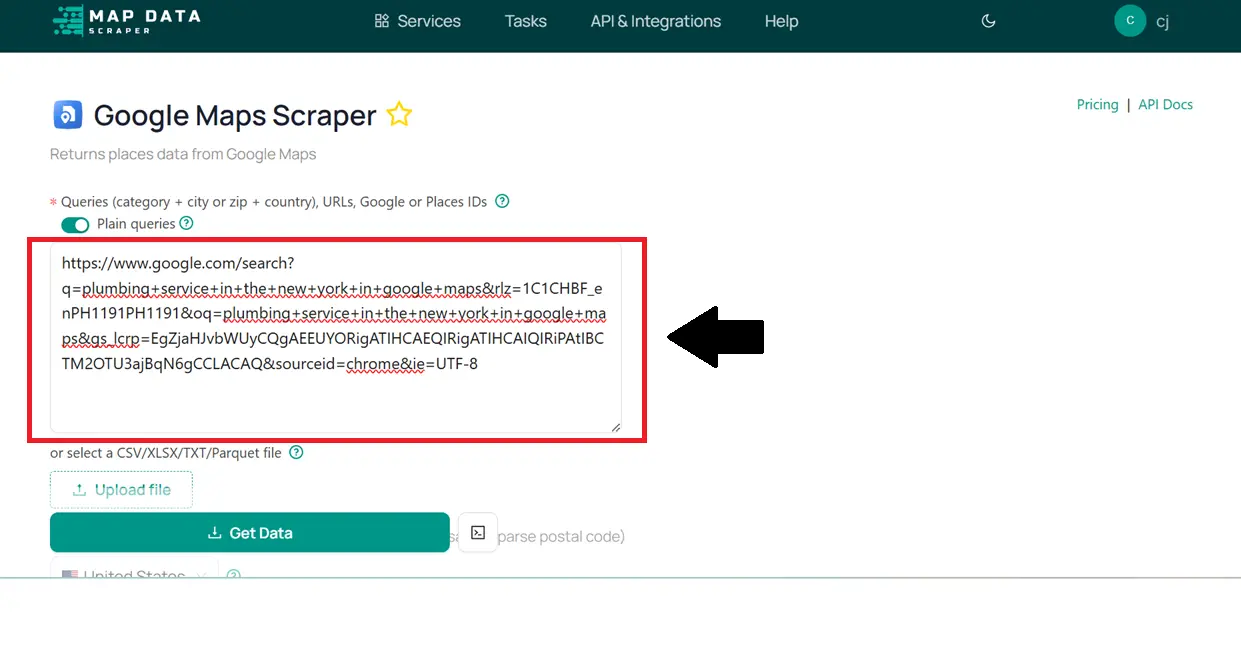
Use Targeted Search Parameters
Instead of scraping ” restaurants,” or other one-liner categories, use also filters like:
- City and Categories
- Niche keywords (‘Cosmetic dentist”, Japanese Restaurant”, “Plumbing Services”, “Family Clinic”)
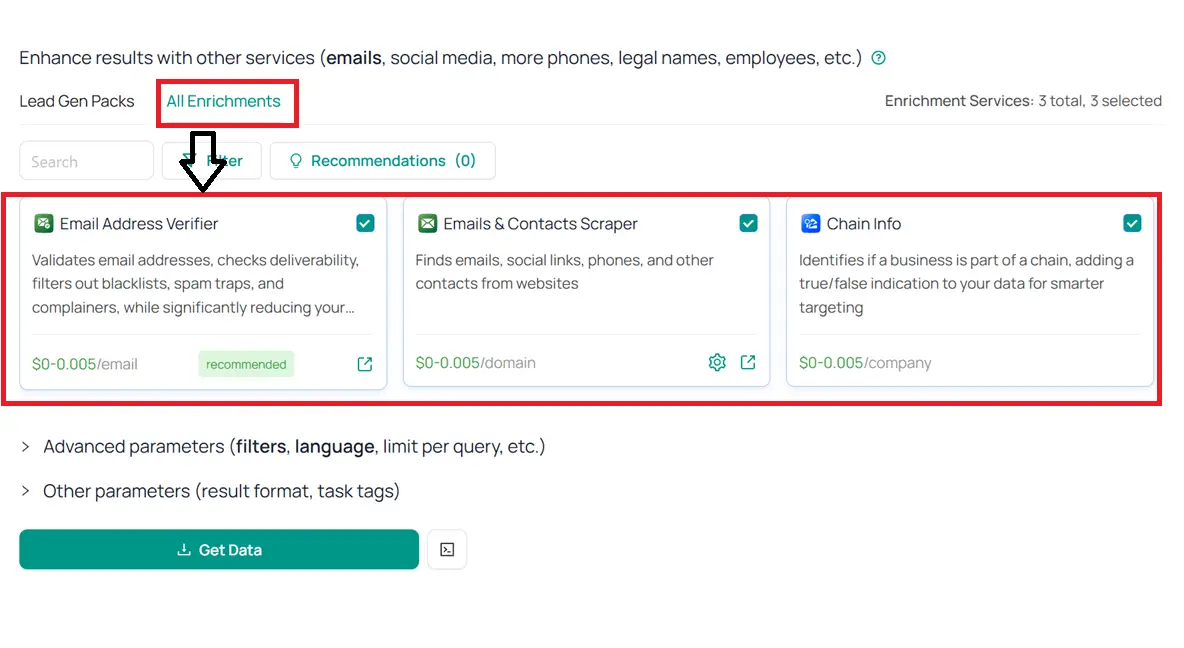
- Add Contacts and Emails enrichments (it is to verify phone numbers and emails of the business)
- Include parameters, additional filters, result formats, task tags, and more.
It enables the scraper to tailor-fit what the users need to extract and helps reduce the actual payment for its usage. Please note that MapDataScraper offers pay-as-you-go pricing, meaning you only pay for the data consumption that is due.
Extract Structured, Clean, and Usable Data
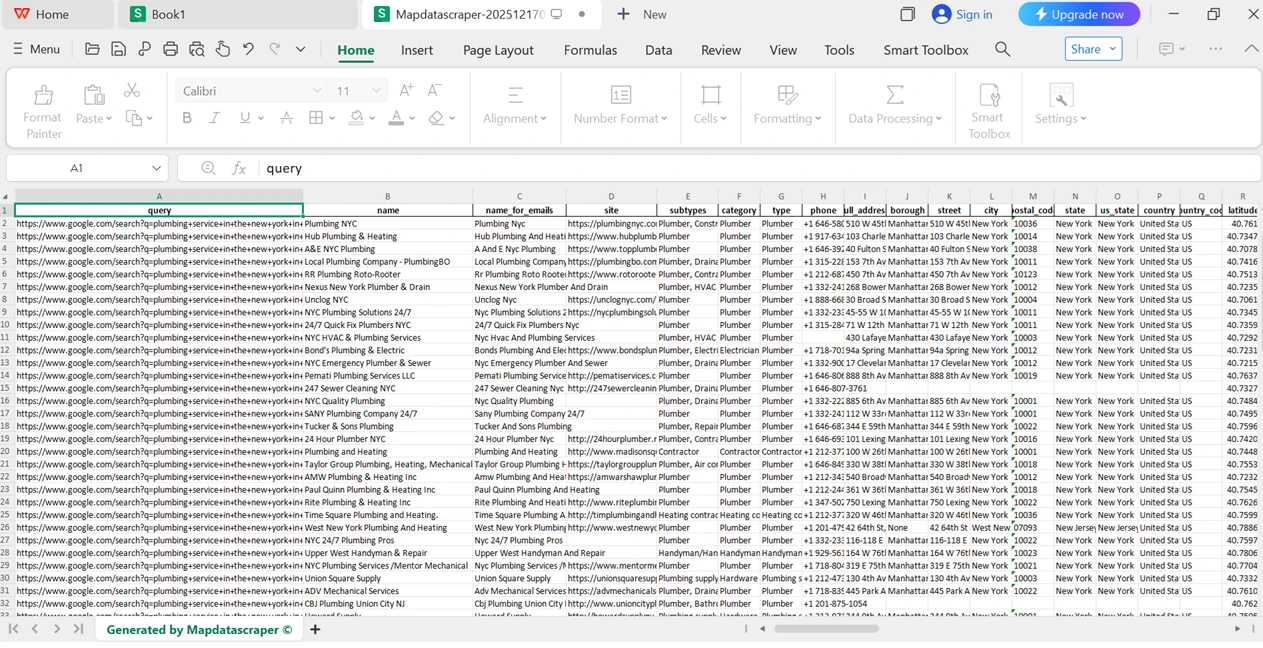
Almost every scraper has the option to have a structured dataset; however, not every scraper is capable of producing a structured, clean, and usable dataset. The expected output is in CSV or Excel format. For MapDataScraper, there would be an additional JSON and Parquet on top of the two that are common. It includes the field of coverage, such as:
- Business name
- Phone Number
- Website URL
- Address
- Category
- Reviews and Ratings
- Emails, etc.
Take note that every field is dependent on the enrichment (Emails & Contacts Scraper, Contacts & Leads Enrichment, Chain Info) that users have included while extracting the datasets. This feeds directly into the users’ CRM or outreach workflows.
Use Case
Local Agencies
Local agencies like marketing firms, SEO specialists, and digital consultants use Google Maps Data Scrapers to identify businesses and industries with poor or non-existent online presence. This includes gaps in social media activity, low-traffic websites, or incomplete Google Business Profiles.
Their key selling point is in lead generation. By building a solid network of high-potential buyers, they boost businesses’ online visibility, driving traffic to attract, engage, and convert customers into loyal buyers.
SaaS Companies
Software as a Service Companies, or commonly known as SaaS Companies, are solely focused on the gaps that businesses already have. They use Google Maps Data Scraper to identify these gaps.
Also, SaaS Companies help develop software that complements data extraction to improve lead generation, market research, market analysis, local SEO, business directories, ratings, reviews, and many more.
There are untapped opportunities for using Google Maps:
- Lead generation and market research
- Competitive Market Analysis
- Local SEO Optimization
- Business Directories Management
- Ratings and Reviews Monitoring
B2B Service Providers
B2B Service Providers use Google Maps Data Scraper for a business extraction tool that primarily helps to build a solid network of lead lists, ensuring that, between B2B transactions, there is improved local market research and analysis. With that, it is easier to identify businesses’ status and target the highly competitive businesses or those that are new (start-ups).
Google Maps Data Scraper is also used in;
- Gap Analysis
- Review customer sentiments
- Verification of operational hours
- Enrichment of CRM Data
- SEO for Local Markets
Conclusion
Google Maps Data Scraper addresses the core reasons why local lead generation often fails, which include outdated databases, inaccurate targeting of market opportunities, and a lack of substantial data for research and data analysis. By extracting publicly available business information from Google Maps at scale, tools like MapDataScraper extract business data with clean, structured, and location-based lead lists enriched with essential data such as phone numbers, email, addresses, name, ratings, reviews, and more.
It allows users to focus more on the opportunities that will help the business thrive, generate income, and have a return on investment (ROI) as soon as possible. It is important to have a proper buyer’s criteria to pinpoint which to focus on. Targeted search parameters enable the identification of potential customers and appropriate data enrichment.
MapDataScraper supports lead generation, market research, competition analysis, CRM enrichment, and local SEO for agencies, SaaS Companies, and B2B service providers. Instead of guessing and paying for overpriced plans just to execute tasks (data extraction), use MapDataScraper instead; it will improve the quality of business intelligence that has been formatted to CSV, Excel, JSON, or Parquet. It improves the accuracy of the data quality, strategic planning and execution, actionable insights, and overall performance of the business itself.
FAQ
Most frequent questions and answers
A Google Maps Data Scraper is a tool that automatically extracts business details from Google Maps listings. This includes business names, addresses, phone numbers, websites, categories, ratings, and more — perfect for lead generation, market research, and business directories.
Yes! You can easily download the extracted data in popular formats like CSV or Excel, making it ready for lead generation, CRM upload, or email outreach.
With our Google Maps Data Scraper, you can extract:
Business Name
Address (street, city, postal code)
Phone Number
Website URL
Business Category
Rating and Number of Reviews
Latitude & Longitude
Opening Hours (if available)
No coding skills are required! Our tool is beginner-friendly with a simple, intuitive interface. Just enter your search keywords or location, run the scraper, and download your data in CSV or Excel format.
There’s no strict limit — you can scrape thousands of business listings per run, depending on your chosen subscription plan and Google Maps result availability for your search query.